
Payment help
New to crypto? How to pay
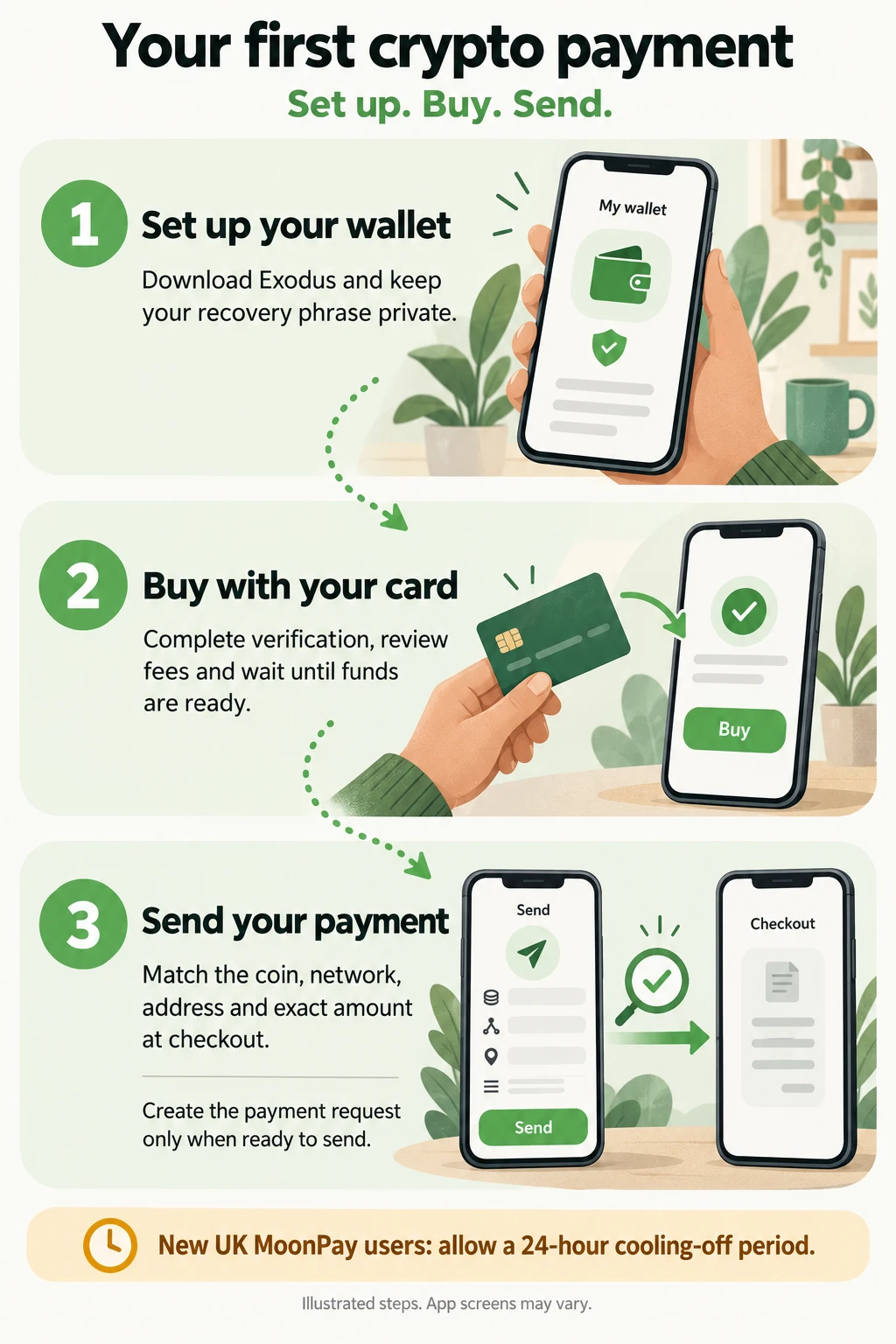
Set up your wallet, buy with your card, then send your payment. This visual guide walks you through each step. Check the available coin and network at checkout before buying, and get your funds ready before creating a payment request.
Bank Transfer Only
Payment is currently available by bank transfer only. Crypto is currently unavailable for new checkouts. Do not buy crypto for an order unless crypto is offered at checkout.
Get Exodus


Official Exodus downloads for iPhone, iPad and Android. Store links open in a new tab.
Detailed steps and payment help
1. Check the coin and network
When crypto is offered, check the currencies and networks available for your checkout before buying anything. Your wallet must support sending the exact coin on the exact network shown. A matching coin name alone is not enough. If the network is unclear, stop and contact us before buying or sending. Stock and payment availability can change.
2. Set up your own wallet
Use the official Exodus download links above. Follow the wallet’s backup instructions and keep your recovery phrase private and secure. Never share it with us or anyone claiming to be support.
3. Buy into your wallet and wait until you can send
Exodus offers purchases through third-party providers where available. Choose your asset and an available card provider, complete its verification, and review the quote before agreeing. Card availability, fees and minimum purchases vary. Wait for the funds to arrive in your own wallet and for any sending restrictions to clear.
Leave enough for network fees as well as the payment. Stablecoins may also require the network’s native coin to pay gas fees.
Exodus buying guide (opens in a new tab)4. Create your payment request only when ready
Return to checkout, select your supported coin and network, and review the estimate. Select Confirm & Pay only when your funds are available to send. This creates a timed request with the current address and exact amount; an earlier estimate is not the amount to send.
5. Match every detail before sending
In your wallet, select Send for the exact currency and network on the current request. Copy its address and exact amount, check the full address and ensure network fees do not reduce the amount received. Send before the request expires, then keep the payment page open while confirmation is detected.
Crypto transfers cannot be reversed; a wrong address or network can lose funds.
Exodus sending guide (opens in a new tab)
Expired request or unsure what to send?
Stop. Do not send to an expired request or reuse an old payment address. If you have already sent funds, do not pay again. Contact us with your order reference and, if available, the transaction ID so we can check the payment. Never send your recovery phrase.
contact@hatipeptides.comApple and the Apple logo are trademarks of Apple Inc., registered in the U.S. and other countries. App Store is a service mark of Apple Inc. Google Play and the Google Play logo are trademarks of Google LLC.